
4 Video Conferencing Mistakes Costing You Client Trust
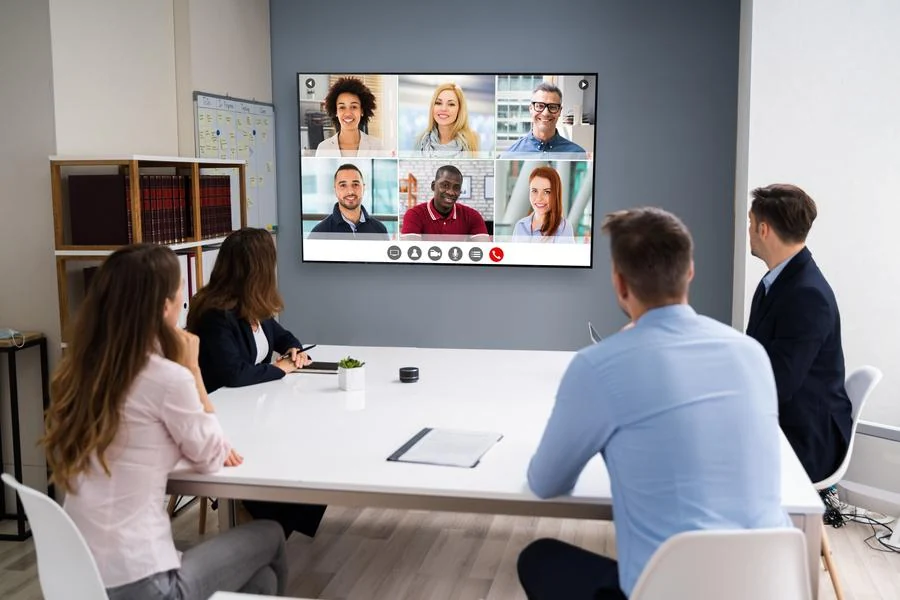
Discover the small technical gaps that shape how clients see your business.
A video call may be one of the first live interactions someone has with your business. When you’re meeting with a client or vendor, the quality of that call can shape how polished and prepared your team feels before the conversation gets very far. A frozen screen or muffled voice can quickly work against that impression, and the same principle applies to new hires you may be interviewing.
This happens because video conferencing is sometimes selected late in the room design process, after the furniture and finishes are already in place. That can lead to issues such as a lagging screen share during a proposal or a hybrid meeting where remote participants struggle to hear the room clearly. Those problems can become part of the impression people carry away from the meeting. Here are four mistakes that can weaken the experience, along with ways to create a more dependable setup.
SEE ALSO: Top 3 Essentials for an Efficient Conference Room in the Workplace
1. Choosing Price Over Performance
Many businesses pick conferencing equipment based on the lowest quote before considering how it will perform in daily meetings. Entry-level cameras and speakerphones may work for small calls, but larger rooms place greater demands on audio pickup and video quality. Screen sharing and multiple remote participants add even more to the system. Over time, inconsistent performance can leave employees hesitant to rely on the room for important meetings. Business-grade equipment sized and installed for the space gives the system the capacity it needs to support clear, dependable communication. That reliability can make client calls feel more professional while giving employees greater confidence in the room.
2. Treating Audio as an Afterthought
Clear audio has a major influence on how easy a meeting is to follow. Yet plenty of conference rooms get designed around the screen, with audio selected later using whatever microphone is packaged with the camera. Poor microphone placement can make voices harder to capture, while reflective glass and hard flooring can introduce echo. Speakers also need to be sized appropriately for the room. Together, those details affect how easily people can follow the conversation. Our team chooses and installs microphones and speakers for your room’s own acoustics, keeping every voice clear, both for people seated at the table and remote participants joining the meeting.
3. Designing the Room Around In-Person Participants
Most conference rooms are still built with only the people physically present in mind, leaving remote participants with limited views of the room or inconsistent access to the conversation. A camera should frame participants clearly, while microphone coverage needs to reach every seat. Display sizing also matters because remote participants need to remain easy to see throughout the meeting. Room layout plays a role, too. Glass walls and hard floors bounce sound throughout the space, which makes acoustic planning an important part of the room design from the beginning.
4. Making the System Harder to Use Than It Needs to Be
A system that takes multiple steps or frequent IT assistance to start a meeting can become frustrating for employees over time. When the process feels cumbersome, people may avoid using the room’s full capabilities and rely on simpler workarounds. A well-designed system should make joining a meeting straightforward through a familiar control interface. A platform like Control4 can tie that meeting control into the room’s lighting and displays, giving employees one consistent way to prepare the space and start a call.
Build a Conference Room Your Team Can Rely On
Video conferencing has become an important part of how businesses communicate with clients and partners. It also plays a major role in interviews and internal collaboration. A conference room designed around clear audio, reliable video, and straightforward controls helps those conversations run more smoothly.
At The Entertainer, we work with businesses across Jefferson City, Columbia, and the surrounding region to build conference room technology around the needs of each space. Contact our team to discuss your conference room, or send us a message through the live chat below.